
Apple launched its HomeKit based IOT app – but where are the products?
The Apple internet of things arrives, in theory, with iOS 10
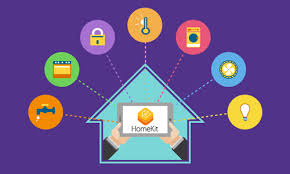
Apple has finally launched its internet-of-things (IoT) smart-home service with a new mobile app called "Home." The only problem? A distinct lack of products to work with.
Speaking on stage at Apple's Worldwide Developers Conference in San Francisco earlier yesterday, senior VP of software engineering Craig Federighi outlined a range of changes in the latest version of its iOS operating system, due this fall.
One of them was the "Home" app, which brings Apple's much-touted but long-delayed HomeKit system to your mobile device. The app itself was slated for release this time last year, but was pulled.

Craig Federighi outlines HomeKit, again, but seems as confused as everyone else over when products will appear
Federighi showed how, from an iPhone or iPad, you will be able to turn on/dim your lights, open your door locks or garage door, and even answer your intercom, quickly and efficiently.
In a sign that for Apple, nothing exists until it does it, Federighi also announced how combined actions would work "with something we are calling 'scenes'."
The concept of "scenes" – where you pull together a range of actions such as unlocking a door while also turning on lights and a radio under one name like "Arrive Home" – has been a mainstay of smart homes for at least a decade.
"Scenes" also represent the biggest hurdle to effective smart-home management: how to make different products work together in a seamless fashion without forcing consumers to spend hours creating them.
This is one area where Apple's control-freak tendencies have the potential to pay off. By insisting that anyone who wants to work with its HomeKit system follows its hardware and software requirements, Apple is in a position to create a simple and polished interface that just works.
Except.
Those same tendencies mean that very, very few companies are willing to sign up to Apple's controlled ecosystem, especially when the market is still wide open.
Deja vu
Federighi announced HomeKit two years ago at the same conference.
"We thought we could bring some rationality to this space," he said back in June 2014, noting that Apple was working with home-automation companies including Schlage, Honeywell and Haier.
He even talked about scenes, again as if Apple was introducing the concept to the world for the first time. He told attendees: "With Siri integration, you can say something like 'Get ready for bed,' and be assured that your garage door is closed, your door is locked, the thermostat is lowered, and your lights are dimmed."
This year, he said the same thing almost word for word.
Back in 2014, Federighi put up a slide with a range of companies it was working with to develop HomeKit-compatible products. However, only half of them have done so, and most of the remainder have produced only a single product as a test-of-concept.
Among those present in 2014 but missing on Apple's current list of compatible products: Cree, Chamberlain, Kwikset, Skybell, Osram Sylvania, and Withings. And of the others listed: Haier has but one product; likewise iHome and Netatmo.

Federighi shows off a list of companies Apple was working with back in 2014. Half of them appeared to have jumped ship.
Why the lack of support? Because Apple changed the specs last year just when companies were getting ready for a big push into the smart home. Instead of a software solution, it decided that manufacturers would instead have to include a specific Apple-approved-and-stamped chip into their products in order to provide a suitable level of encryption and security.
The concern is understandable: security risks associated with the IoT is the single biggest factor in people not buying smart home products. But Apple's decision to do a u-turn and insist on sticking its own hardware in other manufacturers' products caused an immediate cooling in the relationship: one that has yet to recover.
Window still open
So why did it introduce the Home app at all this week? Because due to its functionality, the application can only be introduced in a major software upgrade – in this case iOS 10.
Although Apple is behind, the market has yet to really take off and the opportunity is still there for it to muscle in. The company clearly feels that it needs to demonstrate progress in 2016 rather than wait until June 2017 (and iOS 11) to pull HomeKit into its devices.
But clearly, it still has some way to go. So far today only one manufacturer – August – has bothered to use Apple's announcements to showcase their product.
It is noteworthy that smart thermostat company Ecobee – which put out an entirely new model with a HomeKit chip in it last year – has said nothing. In fact the "pinned" tweet at the top of Ecobee's Twitter feed talks about how its product now works with Amazon's Alexa voice technology – a growing competitor. The announcement was from back in February.
So, HomeKit is here. At least the app is. The big question is whether it will be moved into the special "Apple stuff" folder that most users feel obliged to create and sit, unused and unloved, alongside Numbers, Health, Pages, Wallet, Watch, Find Friends, iTunes U and all the other apps Apple has foisted on its users that they never use.
Or will the "Home" app break out and make it on the first screen on iOS devices? That depends almost entirely on third-party manufacturers deciding whether to allow themselves to be sucked into Apple's closed system.
Apple's attitude to third parties – where it dictates terms and expects people to follow them – has not worked out so well in other markets. Its Newsstand approach, for example, was a disaster, with publishers simply refusing to hand over control. Apple revamped and relaunched it this time last year with greater flexibility, but it has still yet to take off.
Will Apple's IoT effort go the same path? We should know by this time next year. ®
Source: The Register


